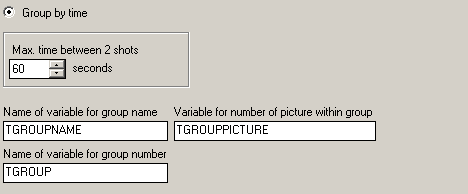
One of the most important features for advanced import profiles is grouping pictures. WIA-Loader tries to form groups from the images to be imported, which can then be used, for example, to tag images or to save the images of a matching exposure bracket together in a separate subfolder.
The following grouping options are available:
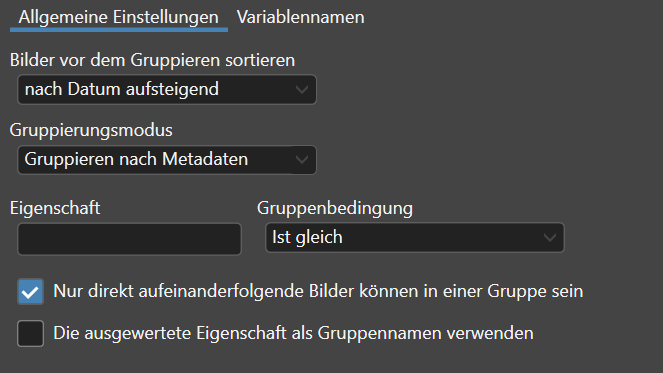
For example, this setting can be used to group images that belong to an exposure bracket,
if your camera has a bracketing feature:
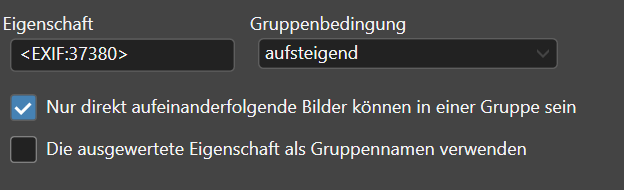
EXIF field 37380 contains the exposure compensation set for the image. The condition 'ascending' causes consecutive images to be grouped as long as this exposure compensation value keeps increasing.
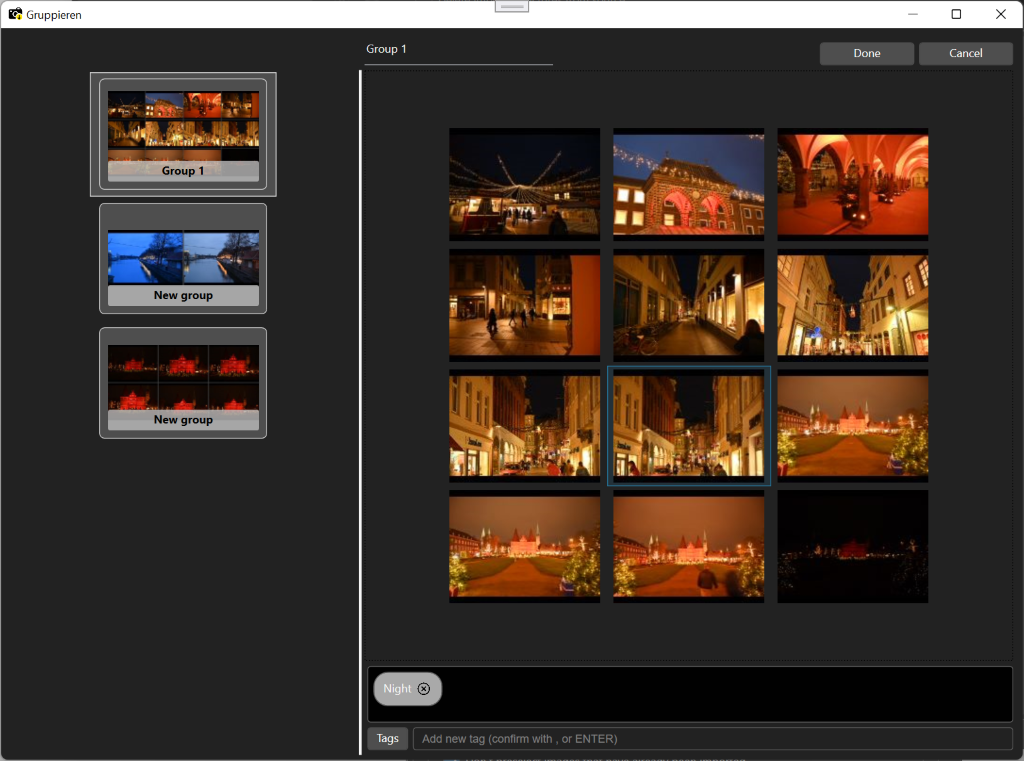
In this view, images can be moved into other groups by drag'n'drop with the mouse. In addition, groups can be named and/or tagged with keywords. If you have created AI Configurations, you can use the context menu here to have the images tagged automatically. This view is virtualized, so even very large numbers of images can be displayed and edited smoothly.
These values are then available as variables for the following import steps. The variable names can be changed on the 'Variable names' tab, so that several grouping steps can be used together within one import profile without conflicting variables.
The default variable names are: